
How people reach you
What the widget offers your users, and how teem knows who is writing.
The launcher sits in the corner of your app. Opening it gives your users four ways in.
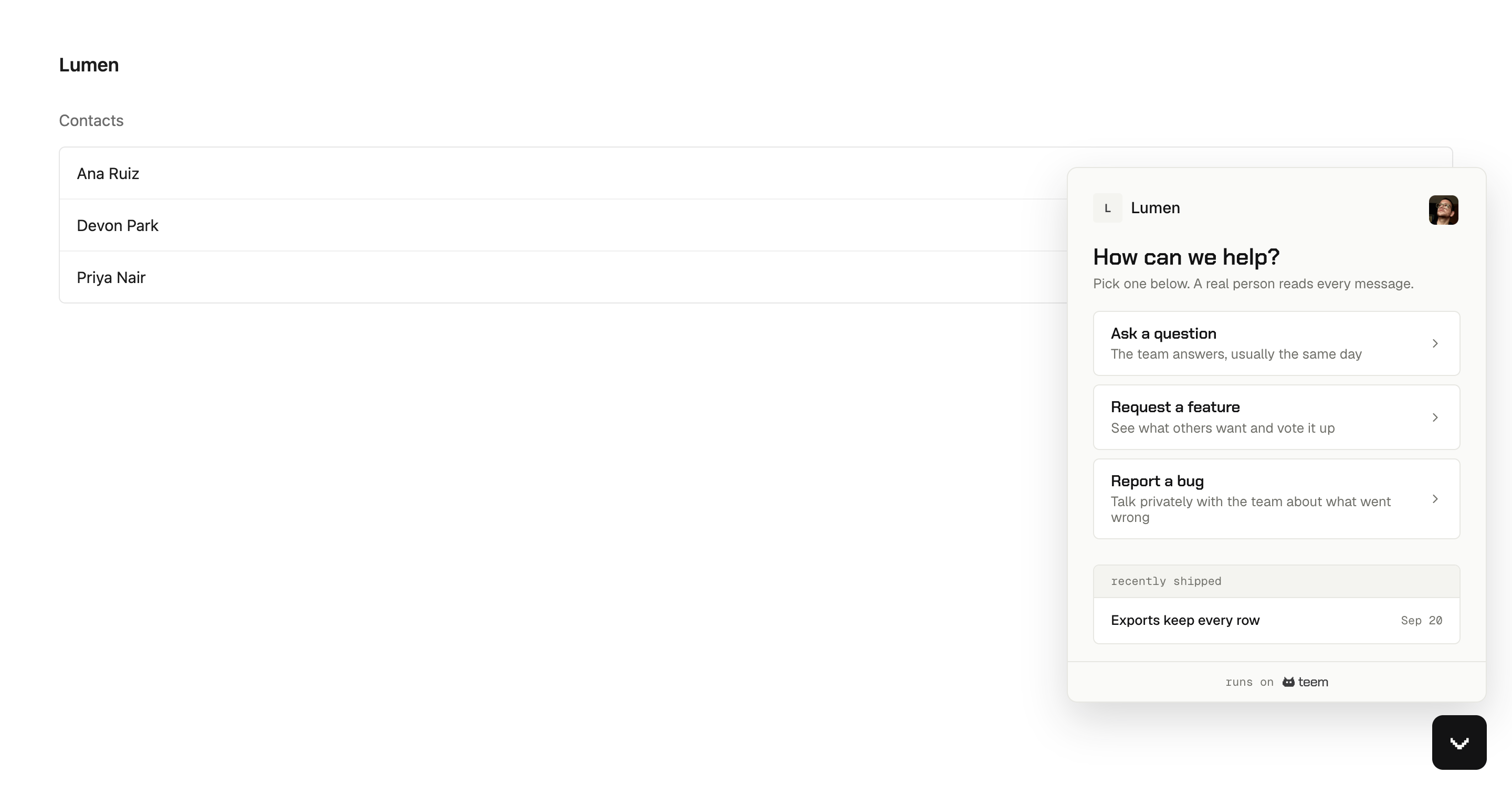
Ask a question starts a conversation with your team. It lands in your inbox.
Request a feature goes to the feedback board, where the person can see what others have already asked for and vote instead of adding a duplicate.
Report a bug also starts a conversation, but it is marked as a bug and stays private between that person and your team. What teem captures with a bug report lists what comes with it.
The Help Center is the fourth, sitting alongside the other three rather than above them, so nobody has to search before they are allowed to ask. It appears once you have published an article.
Below all of that, the widget shows what you shipped recently, pulled from your changelog.
Your app can also open any of these directly from its own buttons: Open the widget from your own button.
Who teem thinks they are
If your app calls identify(), teem already knows their name and email and never asks. If it does not, the widget asks for a name and email after the first message is sent, so nobody is blocked from writing.
Those two are not treated the same. An identity your app signed shows in the inbox as verified. An address typed into the widget shows as self-declared, with a note saying nobody checked it. That distinction matters the first time someone types [email protected] into a support widget. Verified and self-declared visitors explains both.
Voting and posting to the board work the other way round: teem asks before the action, because a vote without an identity cannot be counted or notified.
On a phone
The panel fills the screen and the page behind it stops scrolling. There is nothing to configure.