
Collect and triage feature requests
Where requests come from, what the five statuses mean, and who hears when you change one.
Requests arrive from two places: the widget, where someone picks Request a feature, and your public board, which anyone with the link can post to.
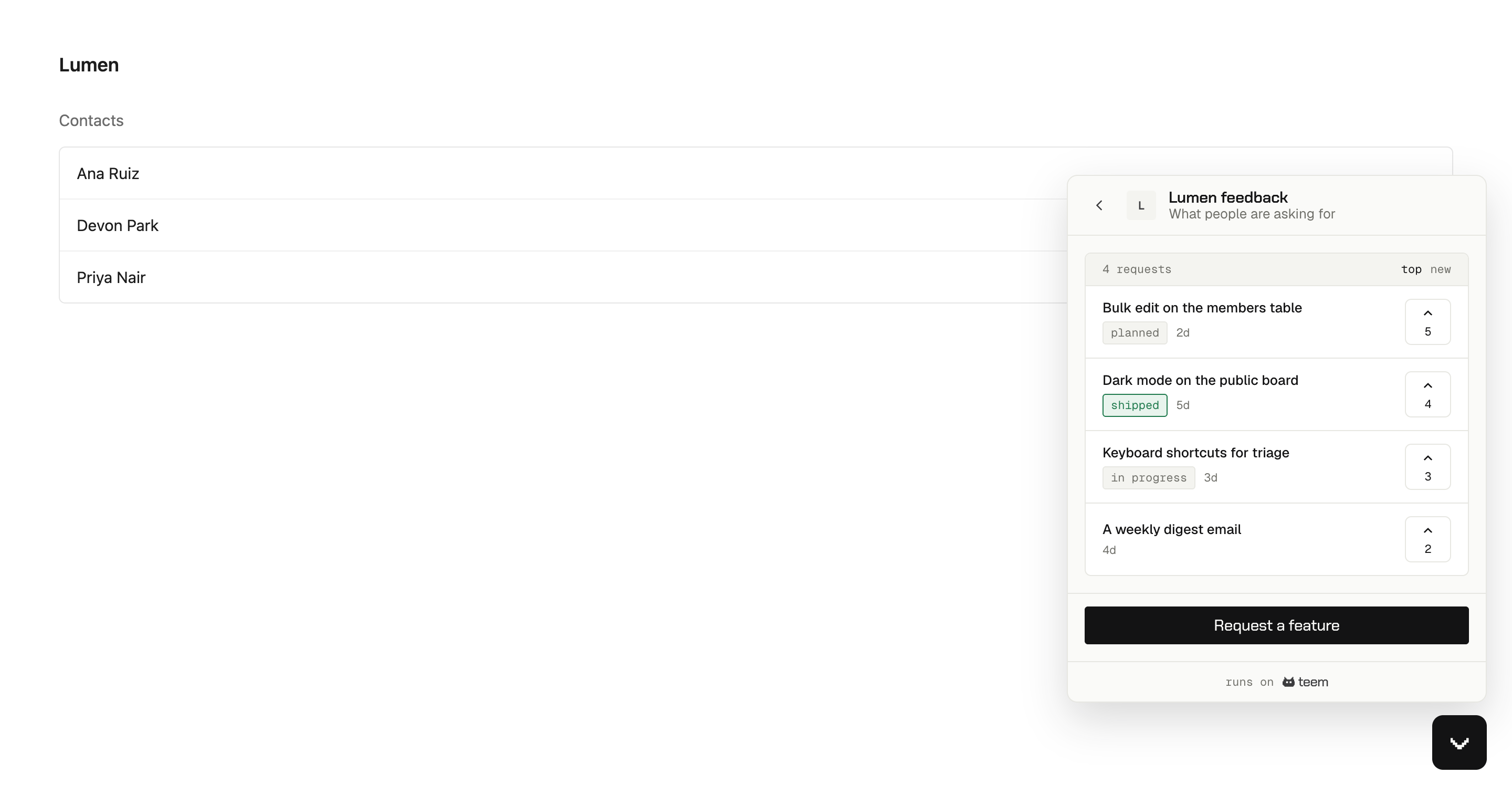
Both show existing requests first, with vote counts. That is deliberate: most people would rather add a vote than write a duplicate, and it gives you one request with ten votes instead of ten requests with one.
Bug reports don't go on the board. Report a bug opens a private conversation with your team instead.
Triage
Feedback in the sidebar is your side of the board. Filter by status, sort by votes or by date, and change where each request stands.
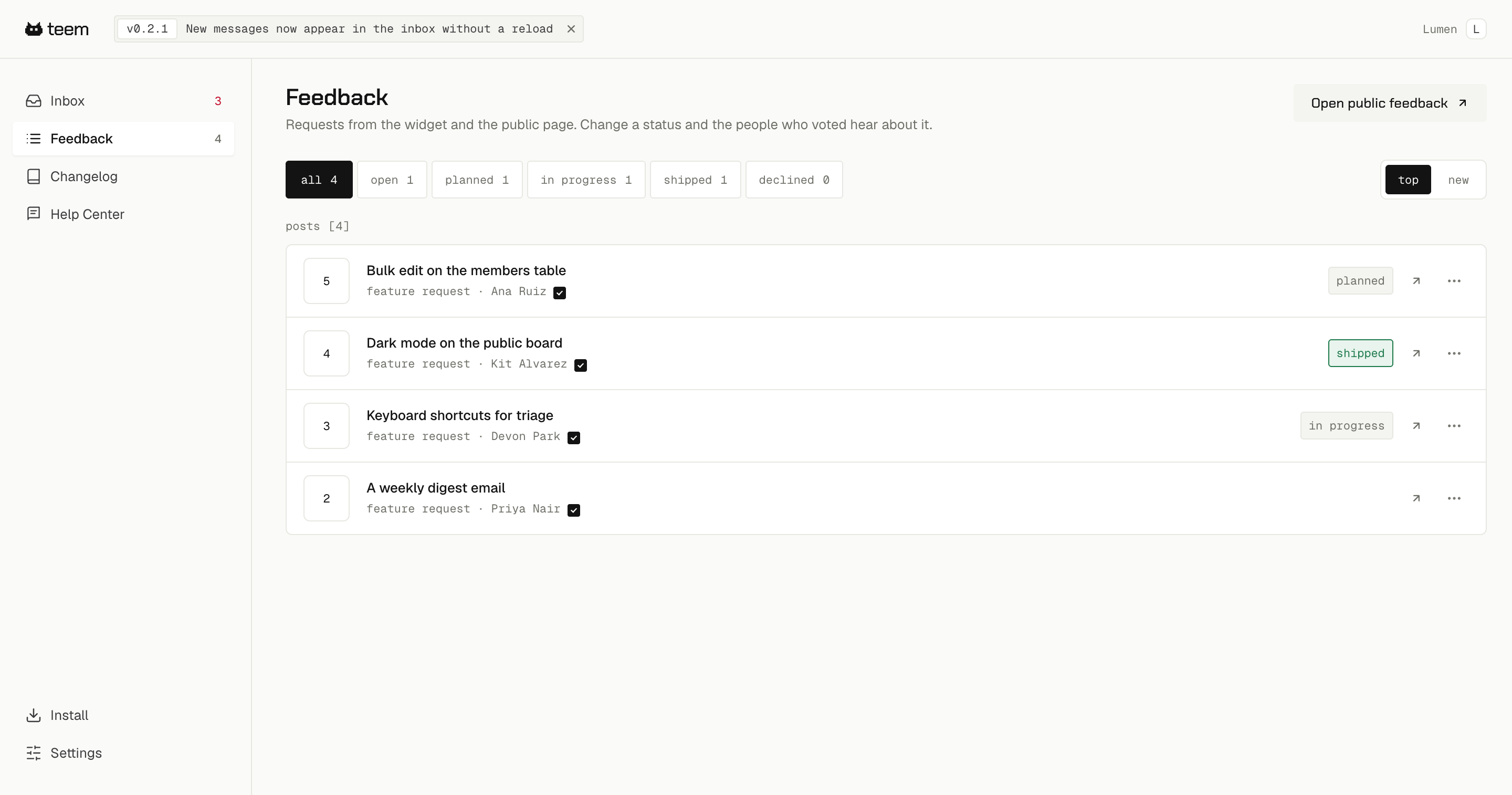
The five statuses
| Status | What it tells people |
|---|---|
| open | You haven't decided yet. Every request starts here, with no badge |
| planned | You're going to do it |
| in progress | Someone is building it |
| shipped | It's live |
| declined | You're not going to do it |
Use declined when you mean it. A request that sits at open for a year tells people less than an honest no, and the no reaches everyone who voted rather than only the person who asked.
Changing a status emails the voters
Every status change emails everybody who voted for that request, and the person who posted it counts as a voter. That is the point of the board, and it is also worth knowing before you reclassify twenty requests in one sitting.
When you change a status you can add a team note. It goes out in the email and stays on the request's public page, so two words about why something was declined save a lot of follow-up. Editing the note without changing the status sends nothing.
Shipping through the changelog sends a different email: Publish a changelog entry and close the loop.
The public board
Your board lives at a public URL and shows requests, their statuses and their vote counts. People can read it without signing in, and teem asks for a name and email before a vote or a post, because a vote it cannot attribute is a vote it cannot notify. Only the name appears publicly, never the email.
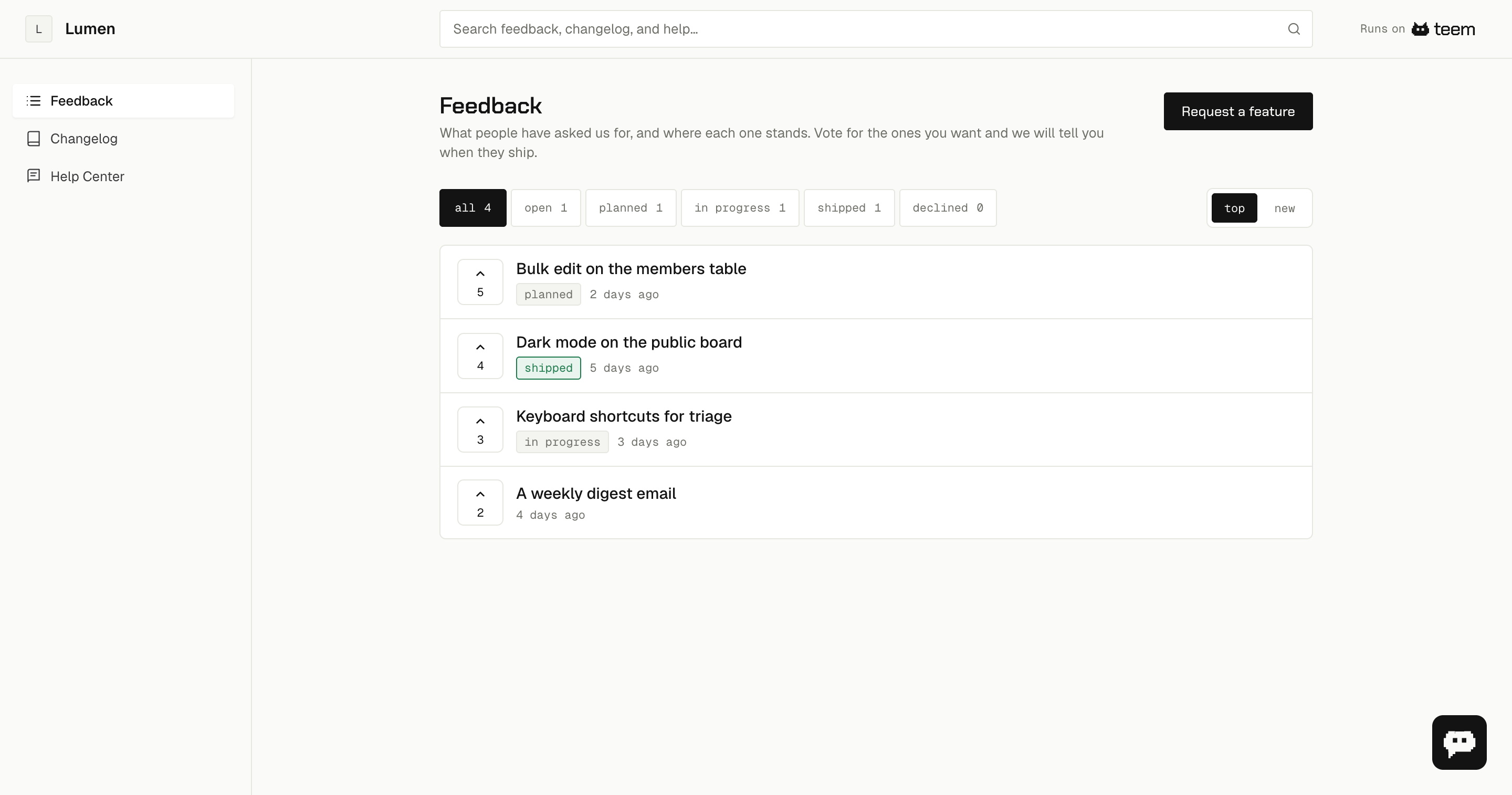
It is worth linking from your app. It answers "are you working on this?" without anybody having to ask you.