
Install teem in your app
One script tag and one function call. Hand the prompt to your coding agent, or wire it yourself in a few minutes.
Open Install in the sidebar. The screen gives you a prompt to paste into whatever coding agent you already use, and the organization key it needs.
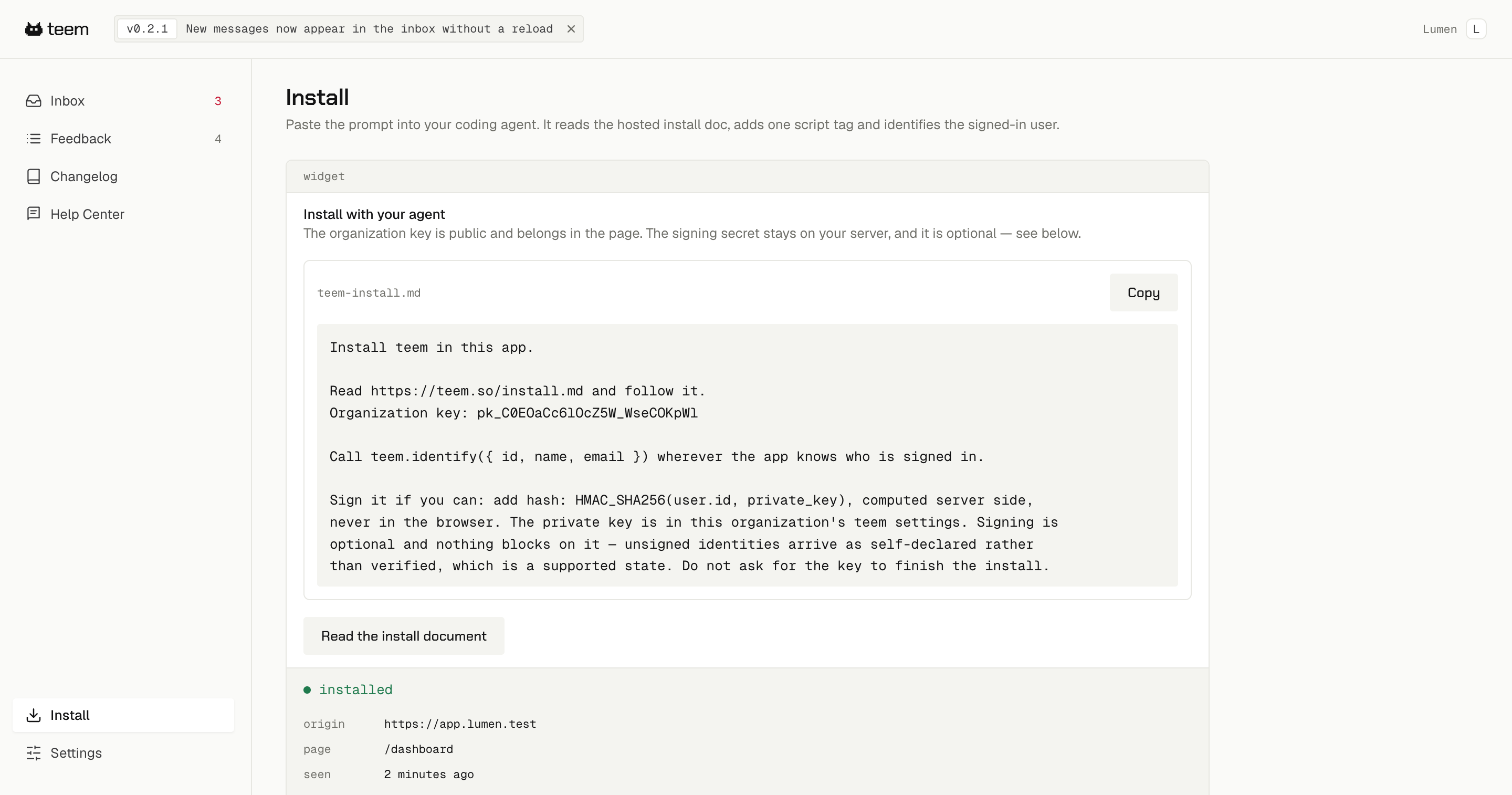
The agent reads the hosted install reference and wires two things into your app. teem hosts the widget itself, so nothing gets copied into your codebase and a fix on our side reaches your install without you doing anything.
What actually gets added
A script tag in your shared layout:
<script src="https://teem.so/t.js" data-organization="YOUR_PUBLIC_KEY" defer></script>
And a call wherever your app knows who is signed in:
teem.identify({ id: user.id, name: user.name, email: user.email })
The organization key starts with pk_. It is public and belongs in the page, the same way an analytics key does.
Confirming it worked
Run your app and open a page. Localhost counts. The Install screen switches to installed and reports the origin and page it last saw, so you can tell at a glance whether the tag is live and where.
If it never switches, work through The widget doesn't show up.
Signing is optional
Anyone can open a browser console and call identify() with any email address. If you want the names in your inbox to mean something, compute an HMAC of the user's id on your server and pass it as hash. Identities that carry a valid hash show as verified; the rest show as self-declared, which is a supported state and not a broken install. Verified and self-declared visitors shows the difference.
You do not need the signing secret to finish installing, and you can add it later without changing anything else. If your coding agent asks you for a key you were not given, it has gone off the instructions.
If you use Turbo, htmx or anything that swaps the page body
Nothing to do. The widget notices when its host is removed and puts itself back. There is no framework-specific setup, which is deliberate: teem runs the same way on Rails, Django, Laravel, a single-page app or plain HTML.